ProcessLocker for Field service

SOP software for field service teams

Give every crew the current procedure, required proof fields, and manager review without chasing texts or paper checklists.

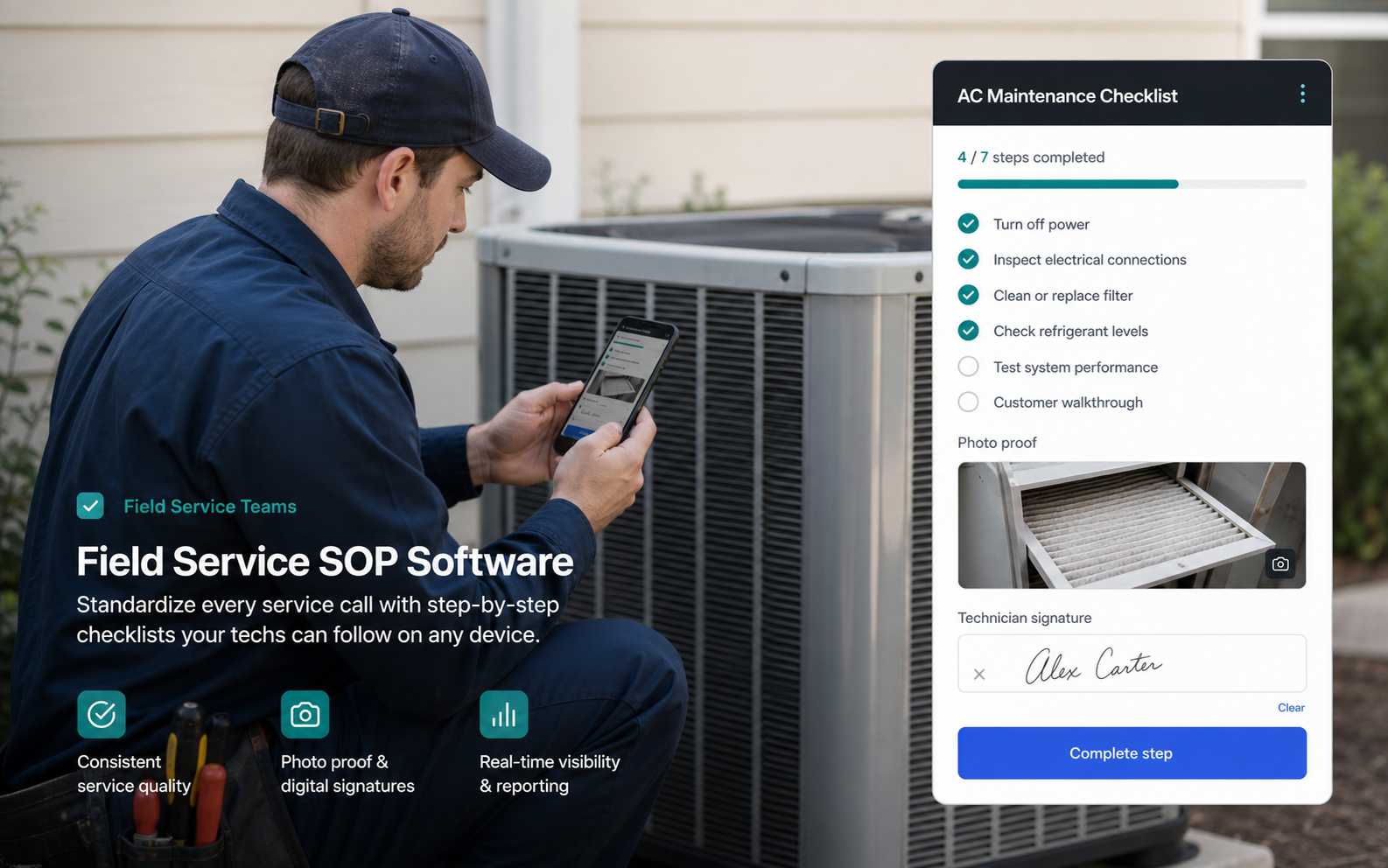
Field service ProcessLocker workflow image

Field service workflow

Your docs are useful. ProcessLocker makes them current and provable.

Field service work breaks when the right steps live in one manager's head. ProcessLocker keeps dispatch, site prep, safety checks, completion proof, and follow-up work in a checklist your team can actually run.

Use it for pre-arrival setup, job-site safety, equipment handoff, service closeout documentation, install QA, callback prevention, and recurring maintenance work that needs an auditable trail.

Common pain

  • Technicians follow different versions of the job process.
  • Closeout proof is stuck in texts, photos, and memory.
  • Managers cannot see which work is late until a customer complains.

Workflows to run

  • Job-site safety checklist
  • Equipment handoff SOP
  • Closeout proof and manager review

Expected outcomes

  • Fewer skipped closeout steps
  • Cleaner dispatch-to-office handoffs
  • Proof attached to the exact run

Where the workflow breaks, and what ProcessLocker fixes.

Small teams do not need enterprise BPM. They need a clear place to keep the current process, run the work, and prove what happened.

Workflow need Scattered docs / chats ProcessLocker Business benefit
Current job instructions PDFs, pinned chats, or manager memory One approved SOP with owner, status, and version history Technicians stop guessing which process is current.
Required proof Photos and notes sit in texts or camera rolls Photo, file, signature, and note fields attach to the run Closeout evidence is easy to review and retrieve.
Manager follow-up Dispatcher asks for updates after the fact Due dates, completion status, and overdue work stay visible Missed steps surface before customers escalate.
Repeatable improvement Lessons learned rarely make it back into the SOP Review history and next-version edits stay with the process Every job can improve the next one.

Four simple moves from document to proof.

The process locker is not another place to store stale files. It turns the approved procedure into assigned work with evidence and review history for safety checks, equipment handoffs, maintenance closeouts, install QA, and callback prevention.

01

Lock the SOP

Publish the approved service process.

Output
Current field instructions
Proof
Version and owner
02

Assign the run

Send the checklist to the technician or team.

Output
Due work with accountability
Proof
Assignee and due date
03

Capture proof

Collect photos, notes, signatures, and exceptions.

Output
Job evidence in context
Proof
Files and completion log
04

Review closeout

Approve the result and update the process when needed.

Output
Clean handoff
Proof
Review decision

A complete job record without chasing screenshots

Current SOP Assigned run Evidence collected Review history
1

Field-ready instructions

Technicians see only the steps, files, and proof fields needed for the job.

2

Closeout evidence

Photos, notes, and signatures attach to the run instead of disappearing into messages.

3

Manager visibility

Late or incomplete jobs are visible before the customer escalates.

Try the workflow

Start with one recurring process this week.

Publish the SOP, assign the run, collect proof, and see what changed.

Start free, no card